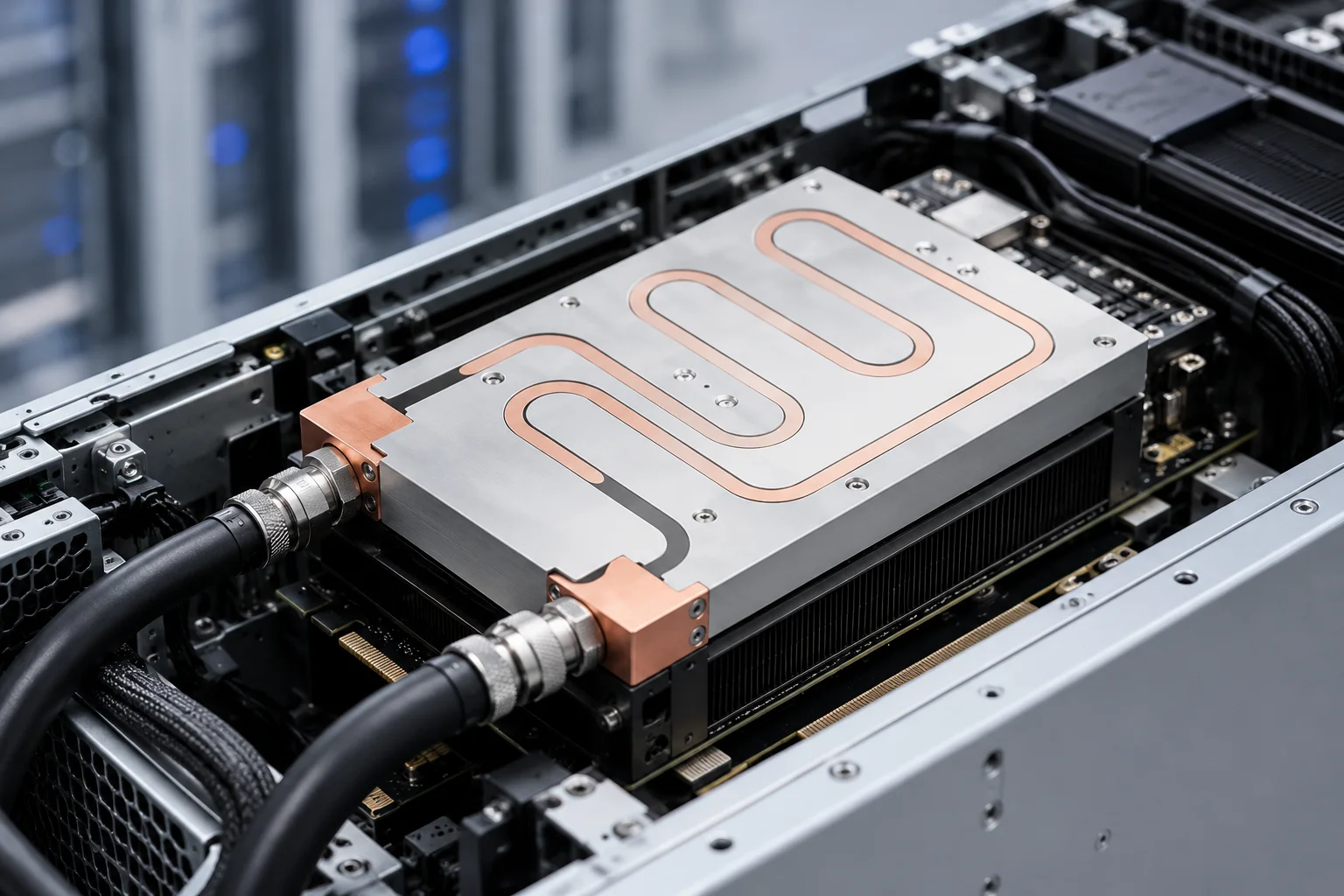
When a GPU runs hotter, it performs worse and wears faster. Liquid cooling improves GPU performance by holding the die closer to its thermal target, so boost clocks stay higher for longer, and it improves reliability by lowering operating temperature, cutting thermal-throttle events, and reducing the cycling stress that degrades solder joints and interfaces over time. For AI servers and dense compute racks, those two effects are why liquid cooling is moving from optional to expected.
This article explains the mechanism in plain engineering terms, compares liquid and air for GPUs, and shows what actually determines whether a liquid loop delivers the performance and reliability gains buyers expect.
Cooling is often treated as a backend detail, but for accelerators it sits directly on the critical path of both speed and uptime. Two shifts make this more visible than before: accelerators now carry more of the system’s heat than the CPU does, and AI jobs run for hours or days at near-full load rather than in short bursts. That combination turns a thermal margin into a business number.
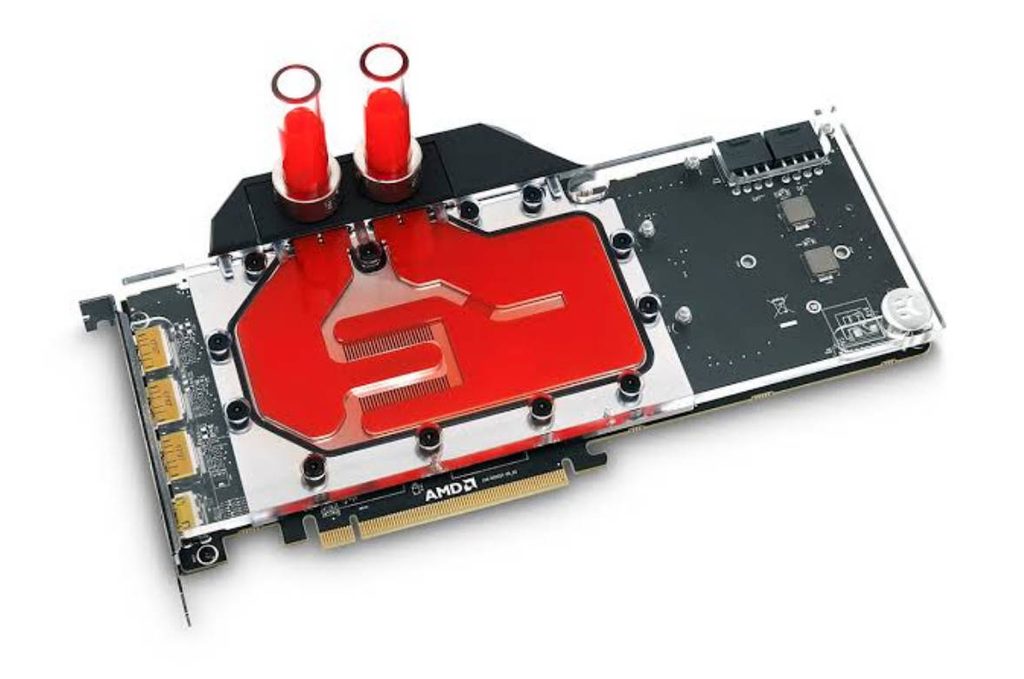
Why GPU Temperature Decides Both Performance and Reliability
A modern accelerator is a power device first and a compute device second. Its junction temperature sets how fast it is allowed to run, how long it can hold that speed, and how quickly its materials age. Temperature is therefore the link between cooling and both outcomes the buyer cares about.
Most accelerators run against a power limit and a temperature limit at the same time. When the temperature limit is reached first, the device must reduce frequency to stay under it; when cooling keeps the die clear of that limit, the device can keep drawing its power budget at a higher frequency. That single interaction is the whole performance story.
The Thermal-to-Performance Link
GPUs raise clock speed under light load and pull it back as temperature or power limits are reached. The single biggest lever on sustained compute throughput is how high the junction temperature climbs under continuous load, because that is what triggers clock reduction. Air cooling can keep an idle or lightly loaded GPU quiet, but under a sustained training or inference load the same part can shed hundreds of watts through a fin and fan, and the die temperature climbs until the boost algorithm backs off.
The Thermal-to-Reliability Link
Reliability moves the other way with temperature. Higher operating temperature accelerates several failure mechanisms: slower but steady semiconductor ageing, fatigue from repeated heating and cooling, and intermittent throttling that makes performance unpredictable. A GPU that spends its life cooler spends less time near its thermal limit, which generally means fewer throttle events and a longer stable service life.
How Liquid Cooling Raises Sustained GPU Performance
The benefit is not a higher peak number on a spec sheet. It is holding performance where air cooling lets it slip.
- Higher sustained boost. With the die held closer to target, the boost algorithm has less reason to reduce clock, so the GPU delivers more work per hour across a long job.
- Less performance variation between cards. In a rack of accelerators, air cooling can leave the hottest cards trailing. Liquid cooling narrows that gap, which matters for jobs that wait on the slowest device.
- More density without derating. When heat leaves through coolant instead of a large fin and fan, more accelerators fit in the same footprint without throttling.
Sustained load is the key word. A GPU that benchmarks well for a minute can still lose ground over a multi-hour training run if its cooling cannot hold the die through the worst of that run. Liquid cooling changes the shape of the temperature curve, not just its peak.
This is also why liquid cooling helps with thermal neighbors. In a shared chassis, one accelerator’s heat can raise the inlet air for the next, so one card’s load quietly steals performance from another. Moving heat into coolant at the source keeps that coupling weak.
For AI workloads this matters because jobs run for hours or days. A small, persistent clock reduction compounds across that time into a meaningful loss of completed work, while a GPU held near its thermal target keeps delivering. In practice, utilization across the whole job, not the peak clock on a slide, is what most operators actually pay for.
How Liquid Cooling Protects GPU Reliability
Performance and reliability share the same root cause, so the same cooling improvement helps both.
- Slower material ageing. Lower operating temperature slows the chemical and electrical wear that accumulates over the device’s service life.
- Fewer throttle events. Each thermal throttle is a forced slow-down; removing them keeps the device inside its designed operating window.
- Less thermal cycling. Loads that swing between idle and full power heat and cool the package repeatedly. Liquid cooling dampens those swings, reducing fatigue on solder, thermal interface material, and the cold plate bond.
- Stable operation in dense racks. Removing heat at the source keeps the surrounding board and power components cooler too, which helps the whole assembly.
In a data center, a throttling or failing accelerator is not only slower, it can take a node offline and disturb a distributed job. Cooling that keeps every card inside its window supports both throughput and availability, which is why reliability and performance are usually planned together rather than separately.
Liquid Cooling vs Air Cooling for GPUs
The table below contrasts the two approaches on the factors that decide GPU outcome.
| Factor | Air cooling | Liquid cooling (cold plate or GPU water block) |
|---|---|---|
| Sustained die temperature under load | Higher; boost may step down | Lower; boost held longer |
| Rack density | Limited by fin and fan space | Higher; heat leaves at the source |
| Acoustic noise | High fan speed needed at load | Lower; pumps are quieter than fans |
| Serviceability | Simple, no fluid path | Needs coolant lines, seals, manifold |
| Reliability risk | Thermal cycling, dust, hotspots | Leakage, flow loss if loop is poor |
Neither method is universally superior. Air cooling stays attractive for lower-power or spread-out systems where a fin and fan already meet the target. Liquid cooling earns its place when air cooling would need an impractical heat sink, excessive fan speed, or a temperature rise the GPU cannot accept.
What Actually Makes a GPU Liquid Cooling Loop Effective
The performance and reliability gains are not automatic. They come from the cold plate and loop doing their job, which is why simulation and validation up front matter more than the headline coolant choice.
- Cold plate contact. A flat, well-lapped base against the GPU spreads heat into the coolant evenly. Poor flatness leaves air gaps that raise thermal resistance exactly where it matters most.
- Flow and pressure drop. Enough coolant must reach every block in the manifold; dense internal channels perform well but can restrict flow if the loop is not sized for them.
- Coolant and sealing. The fluid and seals must stay stable for years under operating pressure and temperature.
- Layout. How blocks connect in series or parallel changes whether the last GPU in the chain stays as cool as the first.
Validation typically includes thermal and pressure testing of the plate before it ships, because a leak or a blocked channel appears as a hot card only after the rack is built.
A well-designed GPU water block turns those requirements into a manufacturable part, with the base, flow structure, and sealing chosen around the accelerator’s heat-source layout.
Common Mistakes That Erase the Reliability Benefit
- Accepting a cold plate base that is not flat enough, which traps an insulating air layer at the interface.
- Under-sizing pump or manifold flow, so the far GPUs in the loop run hot.
- Letting air stay in the loop, which creates local hot spots and noisy flow.
- Ignoring pressure drop when choosing dense internal channels.
- Mixing metals in the loop without the right coolant, inviting corrosion.
Each of these turns a liquid-cooled design back toward the same thermal problems air cooling had, sometimes with the added risk of leakage. The fix is almost always in the specification, not the coolant brand.
Choosing GPU Liquid Cooling for AI and Data-Center Deployments
Liquid cooling is usually the right call when accelerators are packed tightly, run sustained high load, or must stay quiet. It is worth questioning when the system is low-power, well spread out, or where a fluid path adds more risk than the thermal headroom is worth. The decision should start from the GPU’s power, the rack’s density, and the temperature the workload can tolerate, not from a preference for one technology.
Engage the component supplier early with the accelerator’s heat-source layout and the loop’s flow budget. Our GPU water block series is built for AI and high-performance computing environments, and a short design review up front prevents the rework that costs the most later.
Frequently Asked Questions
How does liquid cooling improve GPU performance?
It holds the junction temperature lower under load, so the boost algorithm keeps clock speed higher for longer instead of stepping down as the die heats up. Because the boost policy reacts to temperature in real time, a cooler die simply spends more time at the allowed frequency, and the gain appears as more sustained work per hour rather than a higher peak number.
Does liquid cooling make a GPU more reliable?
Generally yes, because lower operating temperature slows material ageing, reduces thermal-throttle events, and limits the heating and cooling cycles that fatigue solder and interfaces. The effect is gradual rather than immediate, which is why it shows up as fewer failures over years of operation rather than a single test result, and it depends on the loop being designed and maintained well.
Is liquid cooling better than air cooling for GPUs?
For dense, sustained, high-power GPU loads, liquid cooling usually holds temperature and density that air cannot. For lower-power or spread-out systems, air cooling stays simpler and may already meet the target. The choice follows the system limits, not a default preference.
What hurts GPU liquid cooling reliability?
Poor cold plate flatness, low loop flow, trapped air, ignored pressure drop, and mixed metals without proper coolant are the common causes. Each lets the GPU run hotter or adds leak risk, eroding the reliability gain.
When should I choose a GPU water block over air?
Choose a GPU water block when rack density, sustained load, or noise targets push air cooling to an impractical heat sink or fan speed. If a fin and fan already meets the thermal target, air remains the simpler option.
Can liquid cooling prevent GPU thermal throttling?
It can greatly reduce throttling by keeping the die below the temperature that triggers a clock step-down, but only if the cold plate, flow, and loop are sized for the actual power and layout. A poorly built loop will still throttle.
Conclusion
Liquid cooling improves GPU performance by holding boost clocks higher under load, and it improves reliability by running the device cooler with fewer throttle events and less thermal cycling. The gains are real but depend on a cold plate and loop designed around the accelerator’s heat and the rack’s flow budget. Contact our engineering team to review your GPU cooling requirements and specify a liquid loop that delivers both performance and reliability.